

 TH
TH  MY
MY  PH
PH  Contact us


Product / All features / Schedule
Schedule
You can clearly view your own and your members’ plans at once
, easily register for multi-person meetings, and reserve shared devices simultaneously.


An easy-to-read calendar, user-friendly screen, and intuitive registration process
enable efficient
venue management and scheduling
Easily manage the often complex schedules of individuals or groups with user-friendly mouse controls.
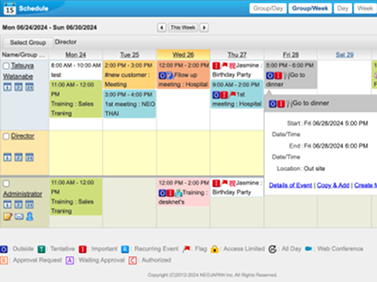
View member schedules clearly at once
This schedule-type calendar allows you to view your own schedule and the schedules of your family members at once. It can be further customized for easier viewing by adding colors or icons. The display can be changed to show the day, week, or month, and can also display holidays according to the Japanese calendar or special company holidays
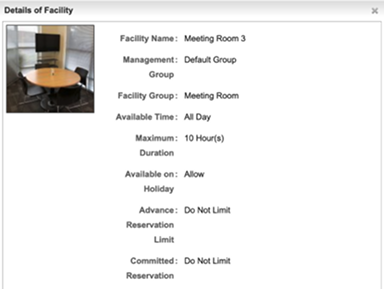
Registering a schedule is easy with minimal steps
Even in meetings with a large number of participants, you can quickly check member availability and equipment availability, minimizing the need for time-consuming adjustments. Meeting room bookings can also be done simultaneously, and schedule notifications can be sent to members instantly via email
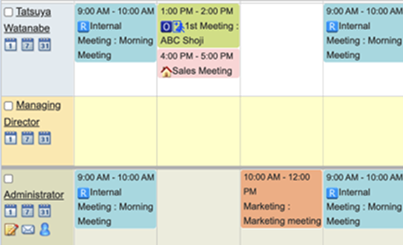
Adjust the schedule and equipment accordingly
When you register for a schedule, you can check the availability of meeting rooms and equipment and book them simultaneously, eliminating the need for redundant adjustments. This feature prevents duplicate bookings during the same time slot
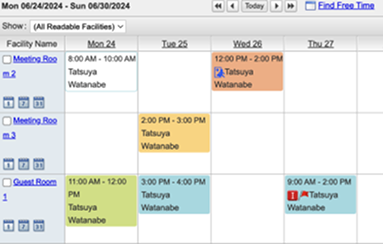
You can book and manage Teams meetings from the schedule
You can book Teams meetings, schedule registrations, and manage Teams meetings through the group software